Apple Updates Creator Studio With AI-Powered Tools
Apple has upgraded its Creator Studio with AI-powered features including automatic caption generation, intelligent masking, and improved color matching across Final Cut Pro, Logic Pro, and other creative apps for Mac and iPad.
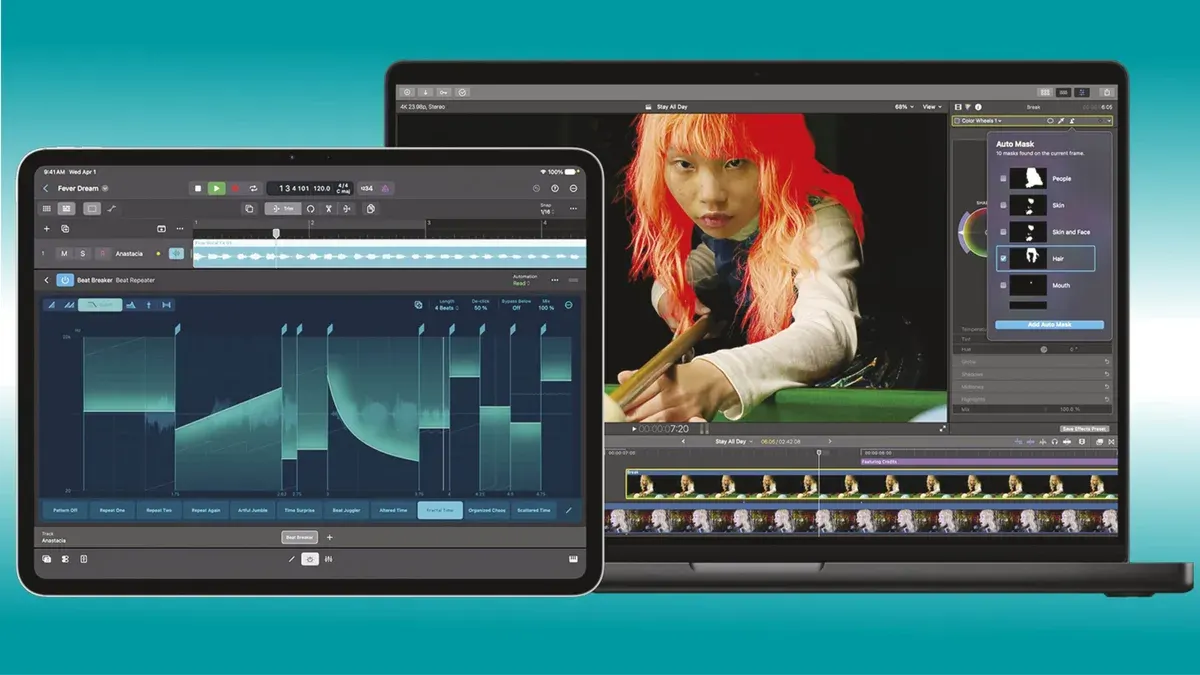
Apple has announced a powerful update to Apple Creator Studio, a collection of creative apps built on the capabilities of Mac, iPad, and iPhone. The update introduces new AI features tailored for all creative professionals, making Apple Creator Studio more connected, capable, and intelligent.
Users can now open and edit images across Keynote, Pages, and Numbers, send keyframes from Final Cut Pro directly to Pixelmator Pro, and Logic Pro users can enhance music production with an improved Chord ID feature or explore new Producer Projects from Grammy-winning producers.
The update transforms Apple Creator Studio into a more powerful AI-driven workflow solution, beginning with Final Cut Pro, the premium video creation app for Mac and iPad. New AI tools include Generate Captions and Edit Detection, along with new content like Creator Themes supporting multiple aspect ratios, dynamic titles, and customizable backgrounds.
Mac users benefit from additional tools such as Auto Mask, improved Match Color, Advanced Trimming, and the ability to send frames to Pixelmator Pro. Generate Captions, one of the most requested features, uses on-device AI to automatically transcribe audio and perfectly place subtitles on the timeline with animation styling, font, color, and position customization options.
Auto Mask is a new method for isolating and refining specific elements of footage. On-device AI recognizes patterns like skin, hair, sky, leaves, and clothing without manual tracking. Users simply hover the cursor over a clip to preview detected elements. The feature works alongside Magnetic Mask for precise customization.
The redesigned Match Color feature now matches colors more accurately and naturally across varied footage and lighting conditions. Editors select a reference frame, and Final Cut Pro analyzes shots to ensure perfect color harmony. Advanced Trimming allows frame-by-frame adjustment of in and out points.
Updates to Motion and Compressor are also included. Motion adds native support for sharp vector graphics at any resolution and Distribute Layers for faster animation setup. Compressor features an Immersive Metadata Viewer, 180-degree Apple Projected Media Profile support for Apple Vision Pro, and Anaglyph View for stereoscopic video preview.